

This is the system every investor should build.
A system that helps you at every stage of the investment process:
You find a new stock, learn the business 10X faster.
You want to go deeper, find answers across years of filings.
The stock deserves a closer look, build a thesis and challenge it.
The company reports earnings, see what changed and what to watch.
A living research system inside Claude that evolves with the company over time.
By the end of this article, you’ll have a ready-to-use system to research any stock 10X faster.
You’ll get everything you need:
the skills, the prompts, and the step-by-step setup guide.
How Claude Becomes a Stock Analyst:
(Cowork + Project Instructions + Skills)
The idea is simple but powerful:
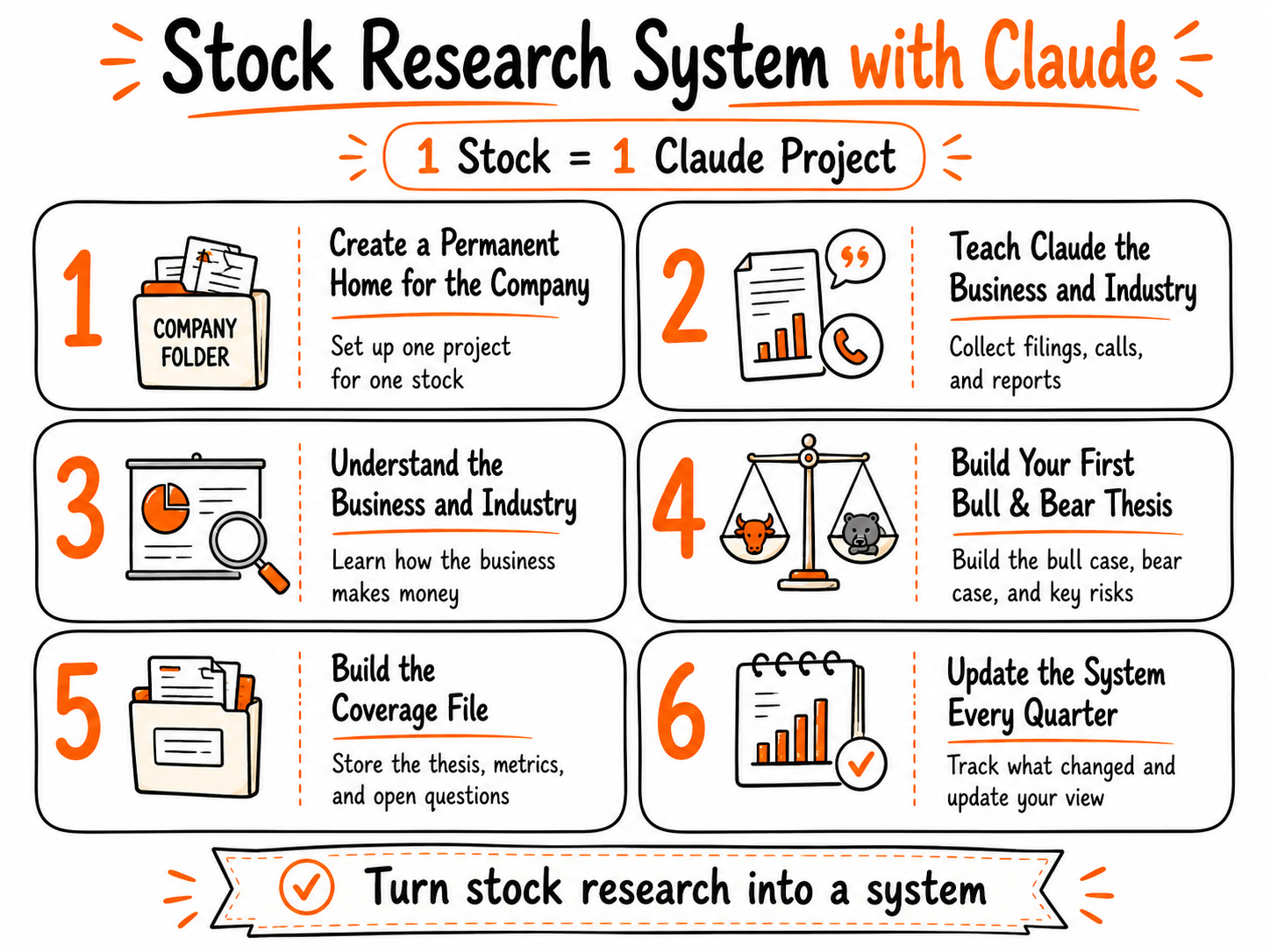
1 stock = 1 Claude project.
Everything about that company lives in one place.
Then we will use Claude’s most powerful features.
Cowork : So Claude can read the files on your computer.
Skills : So Claude can run the same research workflows again and again.
Project Instructions: So Claude knows what to trust, what to focus on, and how to analyze the company.
The result is a stock research system that gets more useful every time you use it.

Think of it like training a junior analyst.
Project instructions teach the analyst your investment process.
Cowork allows the analyst access to every filing, and research document.
Skills and prompts give the analyst specialized tools for business analysis.
and unlike a real analyst, this one works 24/7 and never asks for a raise..
in this video, I show some real use cases we can build with this system.
How to Build Your Own Stock Analyst (Step by Step)
We’ll use Claude Cowork.
Don’t worry if you’ve never used it before. It’s easy to set up.
(If you already use Cowork, feel free to jump straight to Step 1.)
Cowork is Anthropic’s solution for non-technical users who want Claude’s advanced capabilities without writing code.
Normally, Claude can only see what you paste into the chat.
With Cowork, Claude can access the folders, filings, transcripts, presentations, and research stored on your desktop.
This solves one of the biggest limitations of AI for investors:
Instead of uploading the same documents over and over again, Claude can find and use them when needed.
and more importantly, you stay in control of the sources.
You decide which filings, transcripts, presentations, and research documents are available to Claude.
To get started:
Go to Claude website.
Download the desktop app.
Open the desktop app.
Click Cowork.
Step 1: Create a Permanent Home for the Company
We’ll use Claude Projects inside Claude Cowork.
Why?
Because a project gives Claude a dedicated workspace for a single company.
It can stay connected to the files on your computer.
It can keep company-specific instructions.
And it can store the research you build over time.
1.Creat a stock folder on your desktop
On your computer, create a folder for the company like i have done :

Don’t worry about what’s inside yet.
We’ll build the structure later ( automatically)
2. Create a New Claude Project
Open Claude Cowork and click New Project.

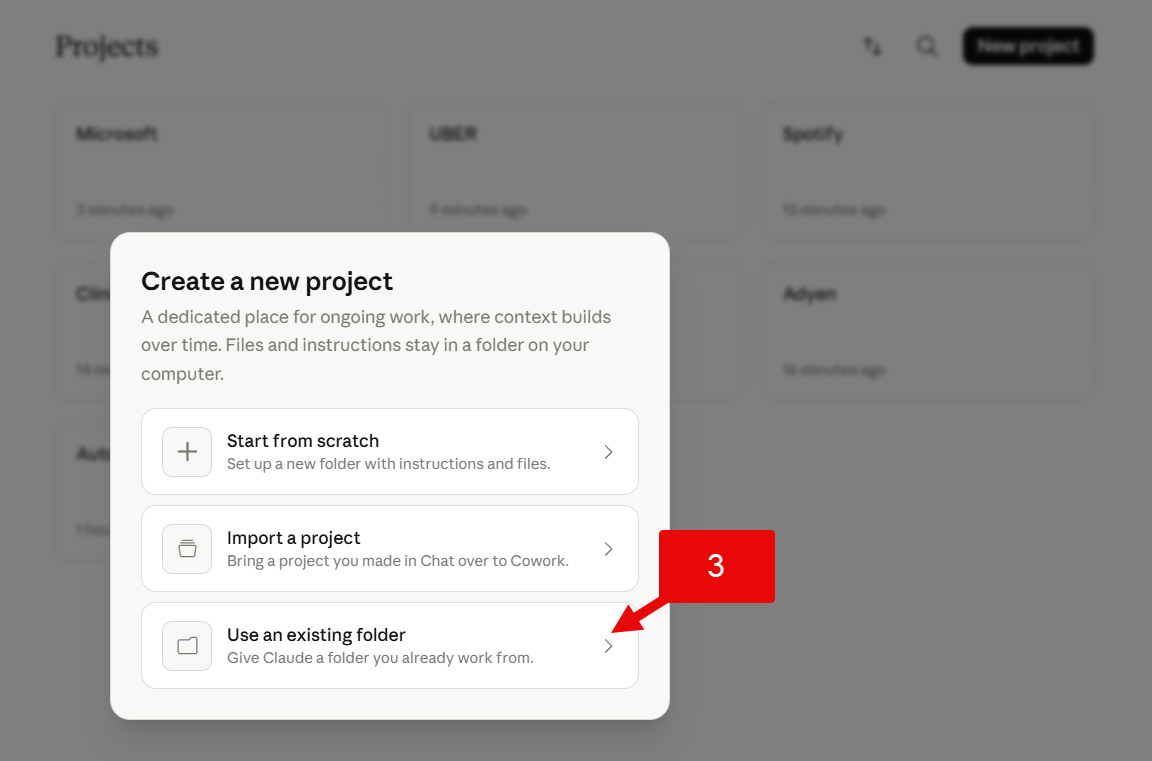
3. Select “Use an Existing Folder”
Choose the company folder you created in Step 1.
This connects Claude to the files that will live inside that folder.
Give the Project a Clear Name ( stock name)
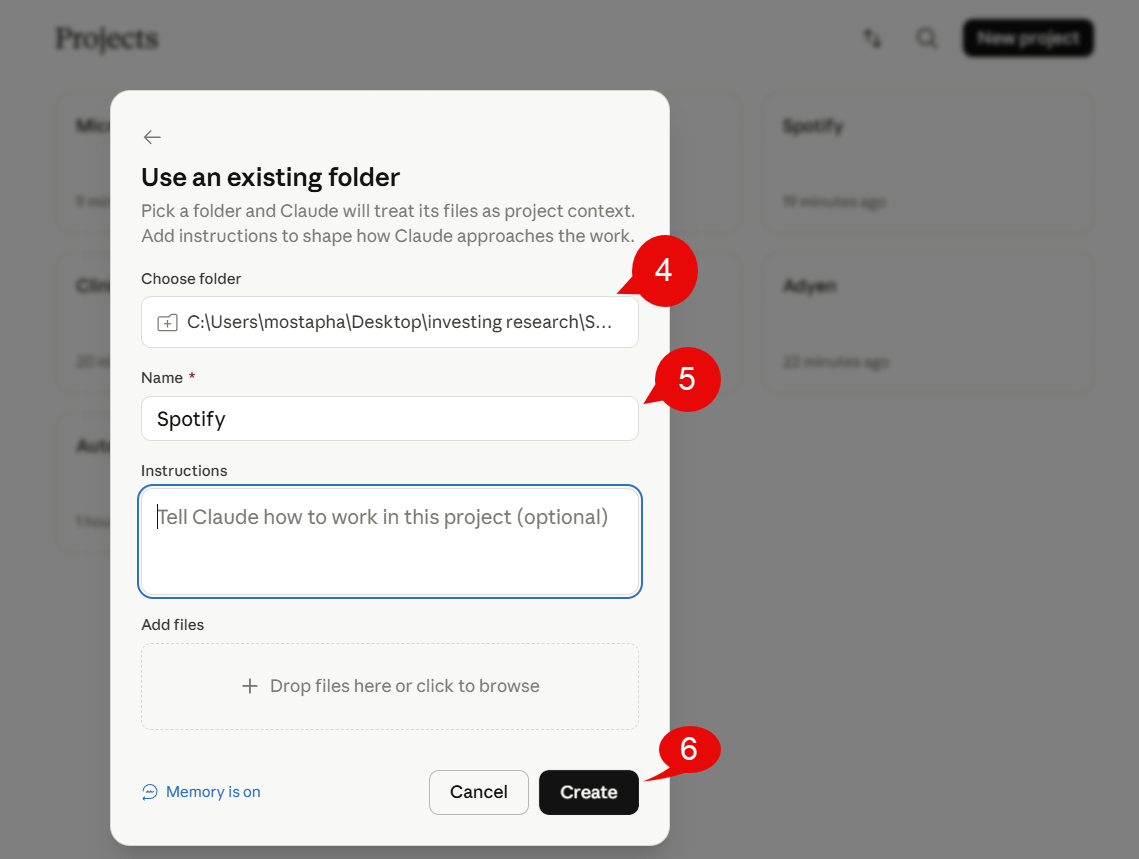
4.Add Project Instructions
This is the first real hack.
Project Instructions are permanent instructions attached to the project.
This means you don’t need to repeat the same rules every time.
These instructions tell Claude:
What sources to trust.
What topics to focus on.
How to use prior research.
How to tie findings back to the investment case.
The result is better answers, more consistent research, and fewer hallucinations.
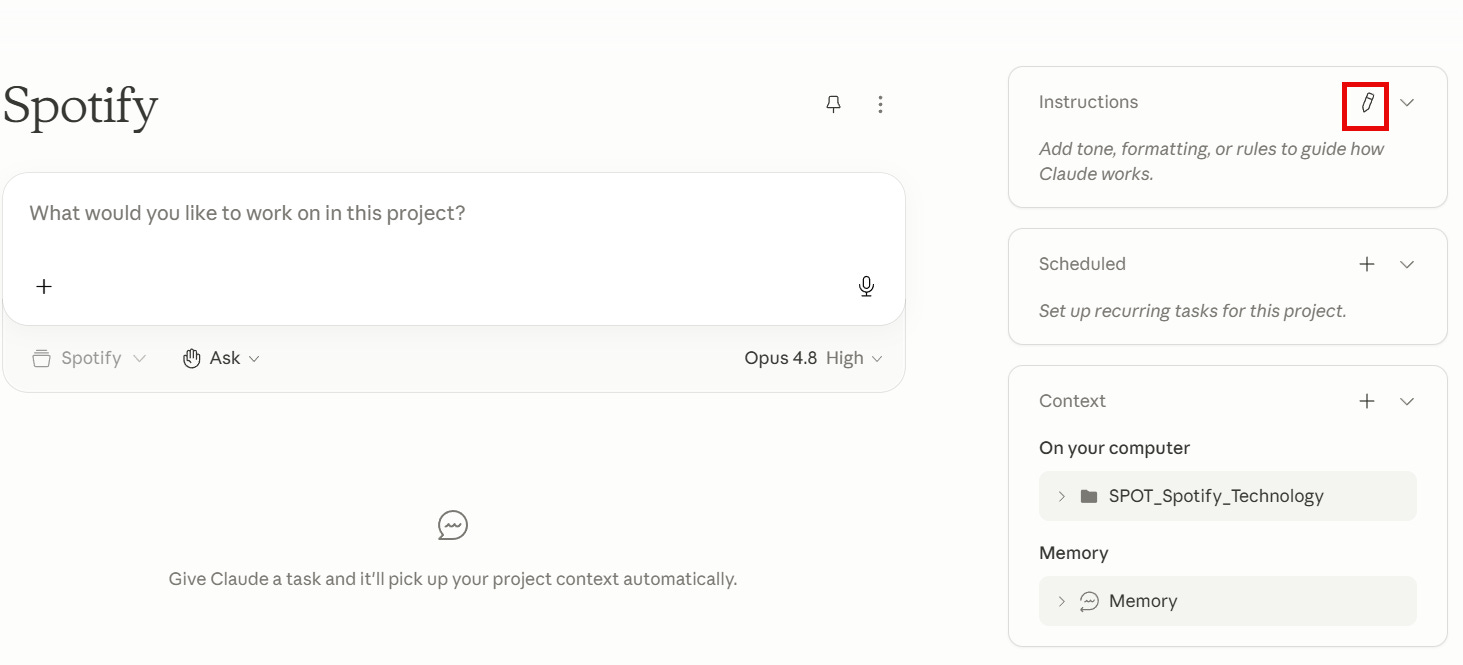
Paste the instruction prompt below into your project: