

Most people go from “I get the business” to “I like the stock” way too fast.
I don’t.
This is what my investing research process with AI usually looks like:
1. Understand the business:
AI helps me build an of how the company makes money and what drives economics.
2. Decide if it deserves deeper work:
After the overview, I decide if this stock is worth going deeper or not.
3. Read the annual report properly:
AI helps me go beyond the story and into the real disclosures, footnotes, and accounting.
4. Map the risks before conviction:
While I read the report, AI helps me build the downside map in parallel:
what already looks fragile
which disclosures deserve a closer read
what questions I still need answered before conviction forms
5. Build the bull thesis :AI helps me turn the research into a clear upside case.
6. Stress-test it hard :AI helps me challenge my own thesis before I trust it.
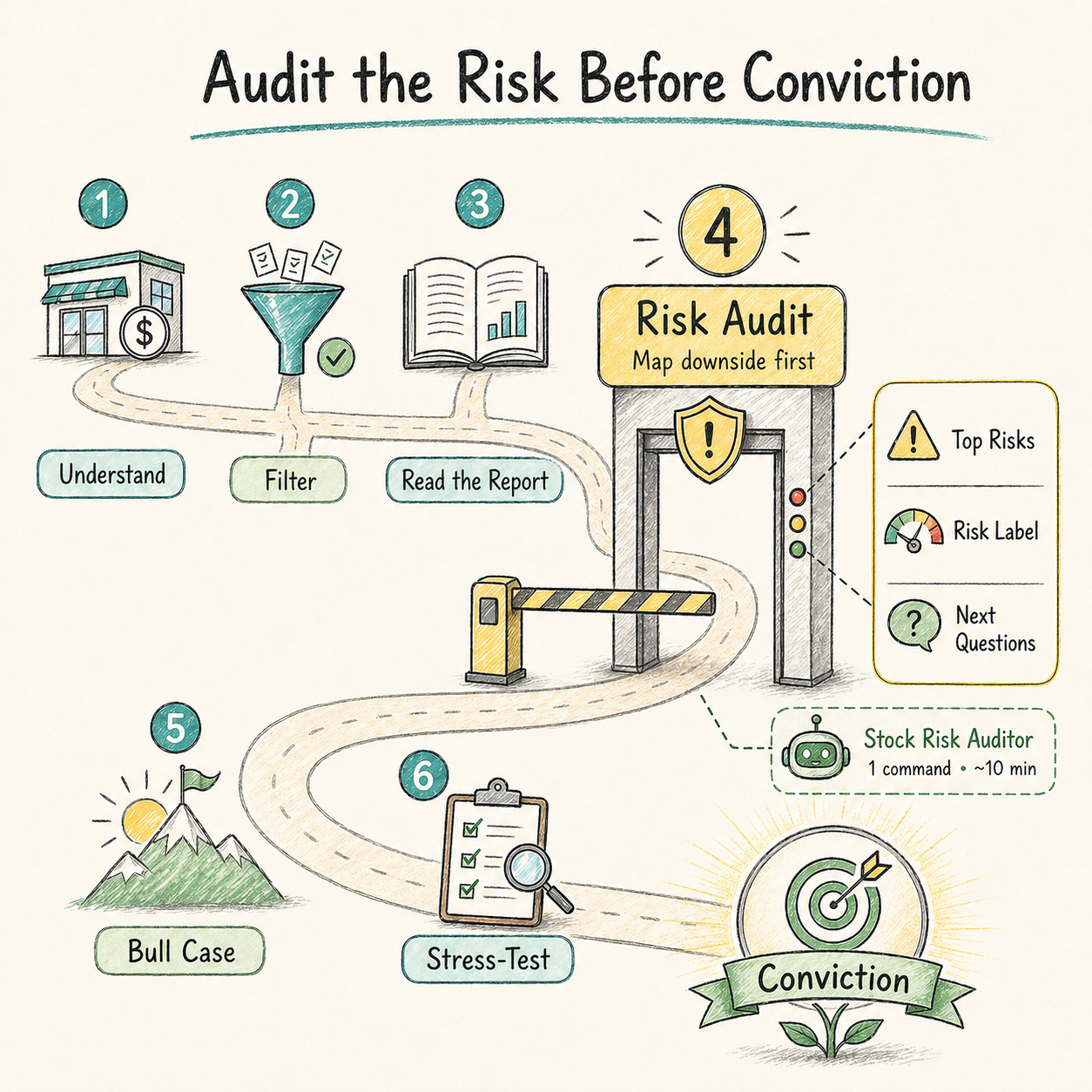
This article is about step 4.
I built a Claude Skill called Stock Risk Auditor.
You run it with one command.
Claude then spends ~10 minutes doing the hard work in the background.
And let’s be honest: that’s a much better use of AI than asking it for “the next 10x stock.”
The output is a full Stock Risk Audit. Not a recycled “risk factors” section.
It gives you:
the top risks ranked by importance across the business, the balance sheet, and the external environment
a final risk label (Low / Moderate / Elevated)
In this article, I’ll show you how it works first.
Then you can take the skill, drop it into Claude, and use it in your next stock analysis knowing exactly what it’s doing.
Let’s dive in:
How the Stock Risk Audit Works:
If you’ve never used a Claude Skill before, don’t worry.
A Claude Skill is basically a saved workflow inside Claude.
Instead of rewriting the same prompts every time, you install it once and run it when you need it.
That’s exactly what I’m giving you in this article.
How to use it :
Open Claude
Claude Web is enough.
You do not need Claude Desktop or Claude Code.Start a new chat
Click the “+” button and select the skill
Choose the skill from your saved skills.
(You’ll need to install it first by uploading my file, but I cover that at the end of this article.)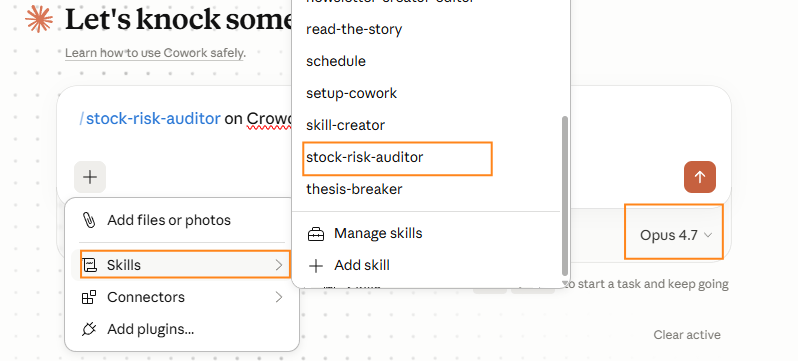
Give it the stock name or ticker
For example:CrowdStrike
Wait 10 minutes( Go do something else, Claude doesn’t need emotional support)
Result: a 7–8 page Stock Risk Audit, structured the way I designed it inside the skill.
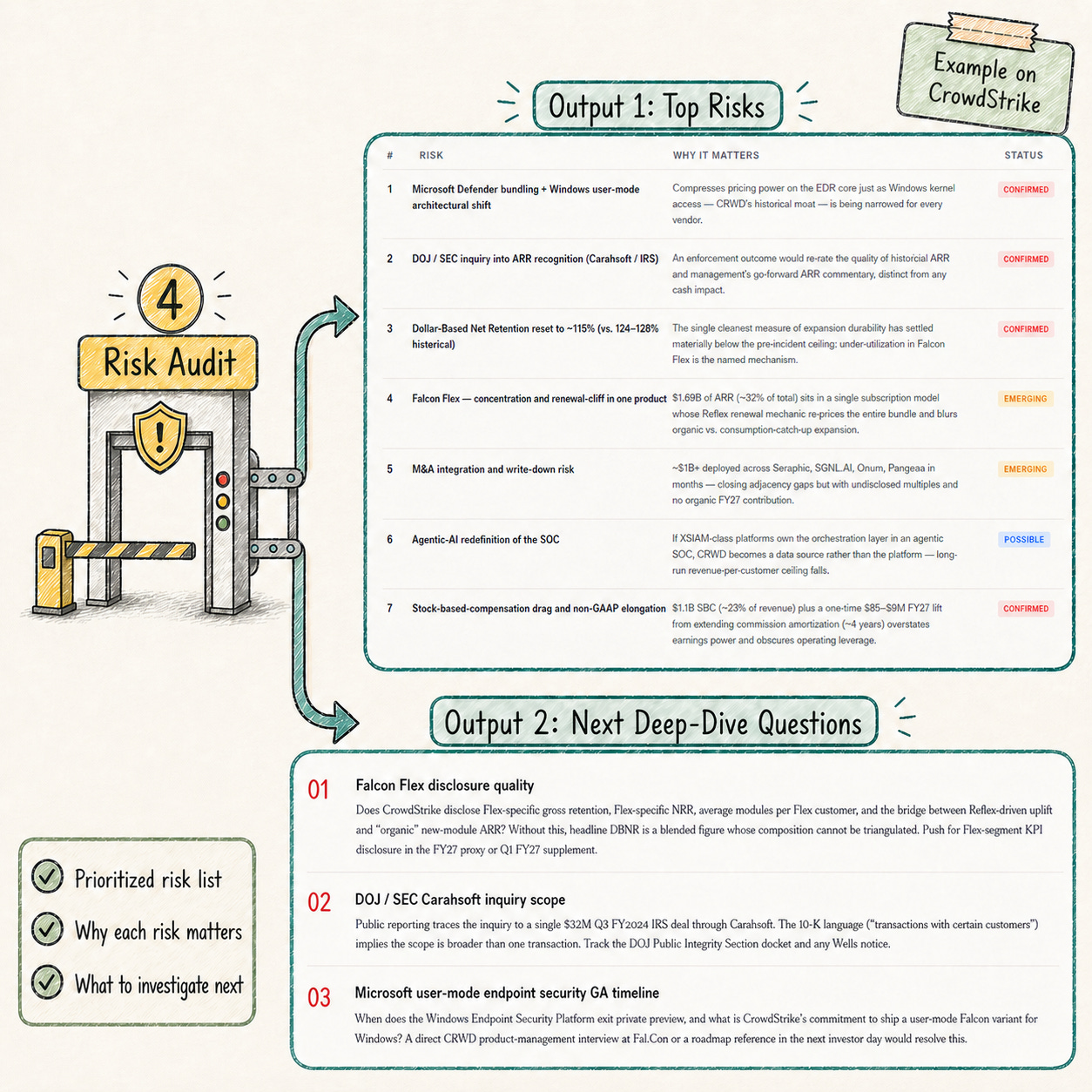
My favorite part of the report is the final section: Next Deep-Dive Questions.
For CrowdStrike for exemple, one question was:
Can CrowdStrike keep charging premium prices if Microsoft makes Defender “good enough” inside Windows?
That’s useful.
Because the report doesn’t just tell you “there is risk.”
It tells you where to investigate next.
But Mostapha, how do I know that this is not just AI slop in a nice wrapper?
Fair question.
I’ve been using AI for investing for more than a year.
And from the outside, it’s hard to tell the difference between:
a random prompt from someone who never seriously analyzed a stock
and a real workflow built by an investor, tested across multiple stocks.
The difference is the structure behind it:
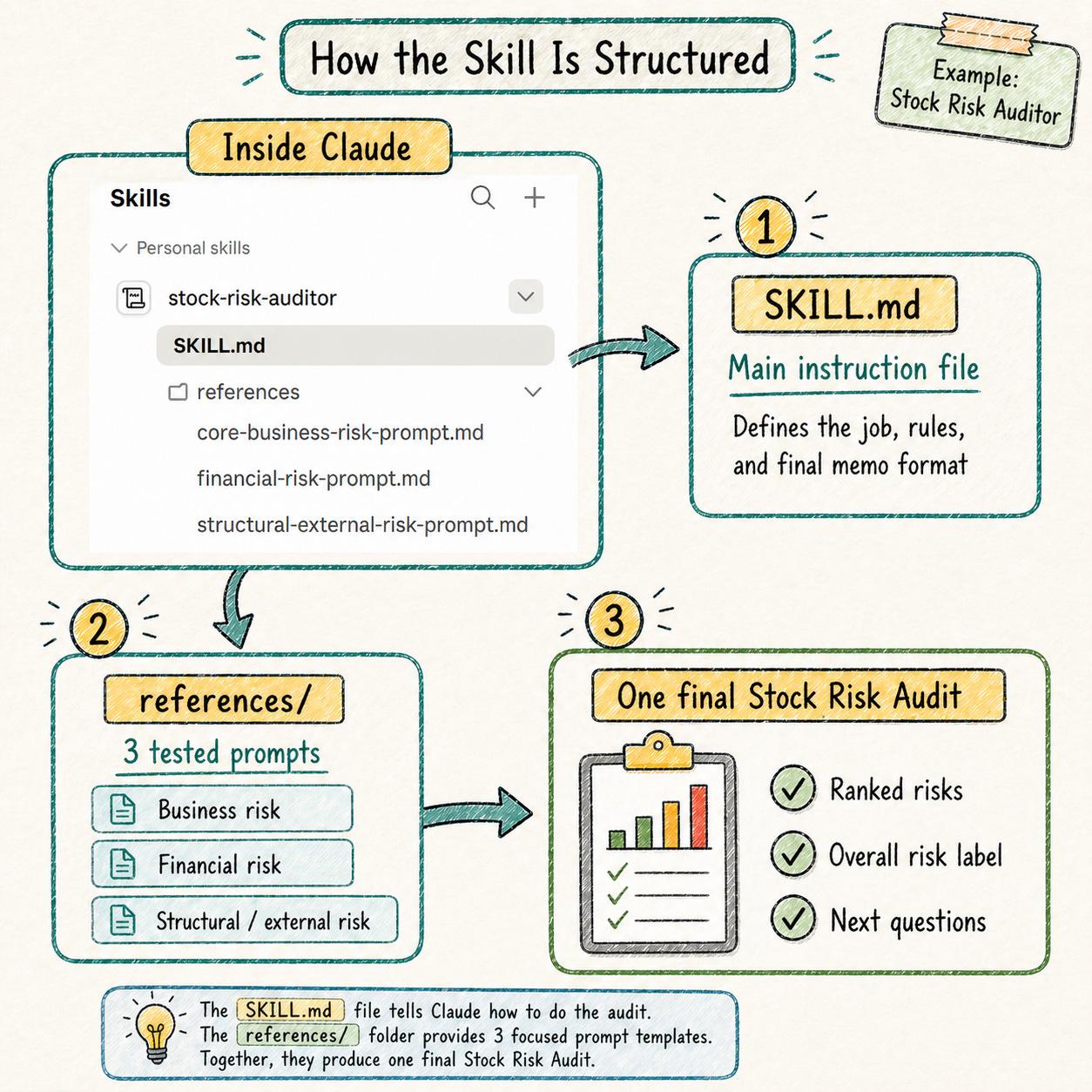
This is not one giant prompt asking Claude to “find risks.”
It’s a small research system inside Claude:
1. One main instruction file :It tells Claude the job, the rules, the ranking logic, and the final memo format.
2. Three tested investing prompts: These are prompts I had already refined and tested for 8+ months in my investing process.
Business risk: what could weaken the operating engine
Financial risk: what could stress cash flow, dilution, or the balance sheet
Structural / external risk: what outside forces could change the economics
3. One synthesis step
Claude merges the three passes into one ranked Stock Risk Audit.
So the skill is not magic.
It is:
one main instruction file + 3 tested prompts + one final risk memo.
Now that you know how it works, let’s install the skill.
Download this file: