

You found a new stock.
The thesis makes sense.
The business looks good.
The valuation looks reasonable.
But one question is still open:
What happens to your portfolio if you add this stock?
Does it add something new?
Or just more of what you already have?
You open Claude.
And in one click…
Claude gives you a portfolio X-Ray like this:
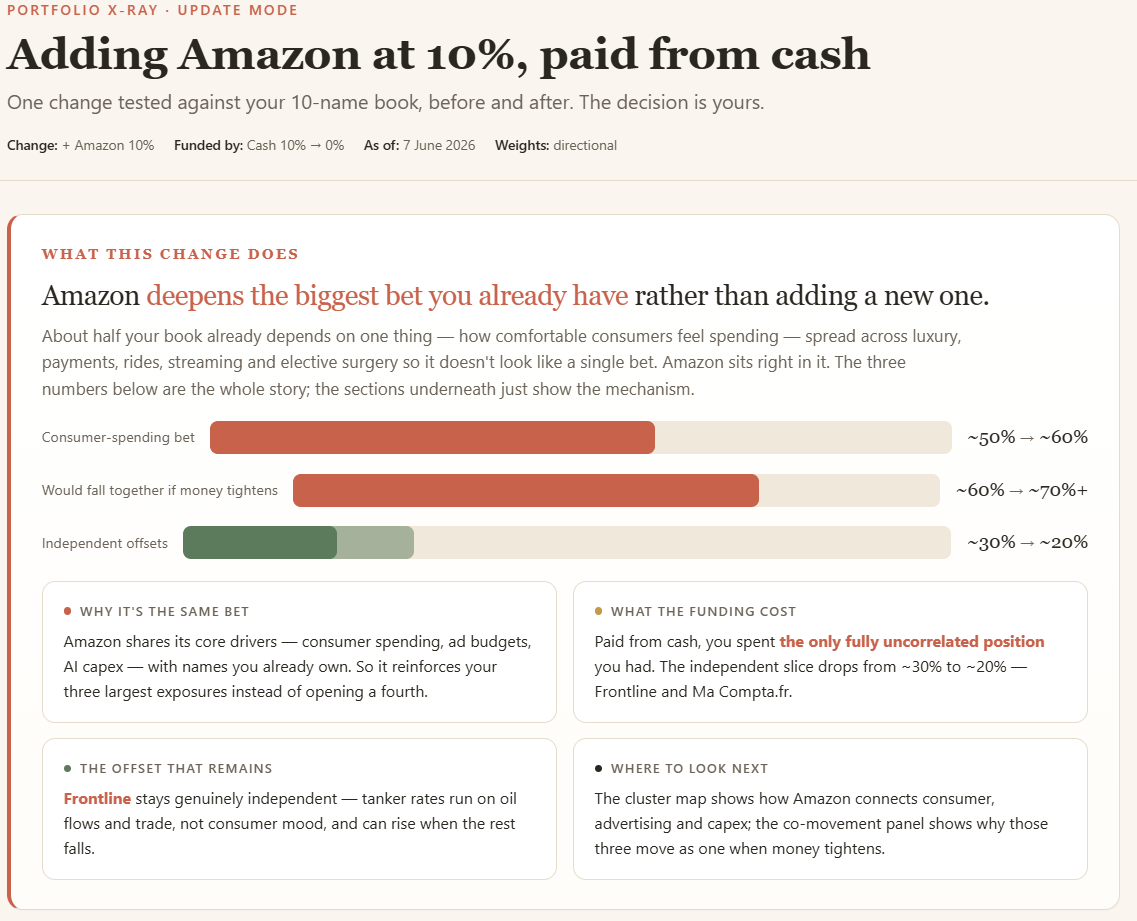
A clean report showing what your portfolio is really betting on.
Your real portfolio exposures
The stocks that depend on the same drivers
The positions creating hidden concentration
The holdings that actually diversify the portfolio
This is possible with the Portfolio X-Ray I’m sharing with you.
Download it.
Upload it to Claude.
And run it on your portfolio.
How to make claude your portfolio auditor:
The idea is to use Claude for 2 jobs :
1. Review your portfolio to see what you really own:
Claude looks beyond sectors and tickers.
It maps the forces that actually drive your holdings:
AI capex
Oil prices
Interest rates
Credit conditions
Consumer spending
This shows the forces your portfolio keeps betting on, not just the stocks you own.
I would run this once a quarter to challenge my own portfolio.
2. Test a portfolio move to see what it really changes:
This is for any add, sell, or resize decision.
Claude shows the impact of the move:
What exposure grew?
What exposure shrank?
What new overlap appeared?
What diversifier disappeared?
In the video, I show you how to run it on a real portfolio:
What Happens Behind the X-Ray
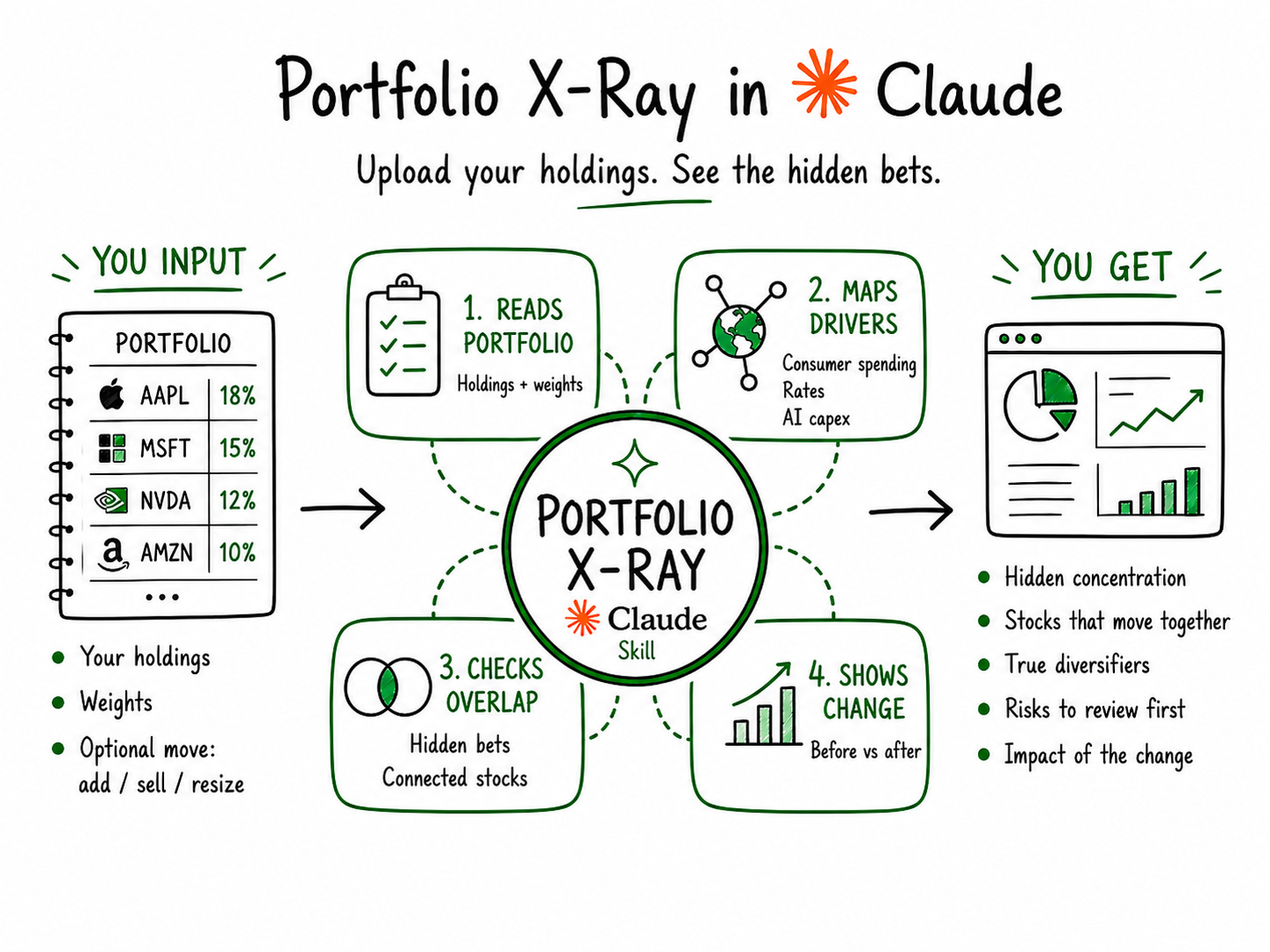
We’ll use a Claude Skill for this.
A Skill is simply a file you upload once into Claude.
Inside it is a repeatable workflow.
Instead of rewriting prompts every time, Claude follows the same steps.
If you have never used a Skill, don’t worry.
You don’t need a complex setup.
You only need Claude in the browser.
Once the Skill is uploaded, you can run it in 1 click.
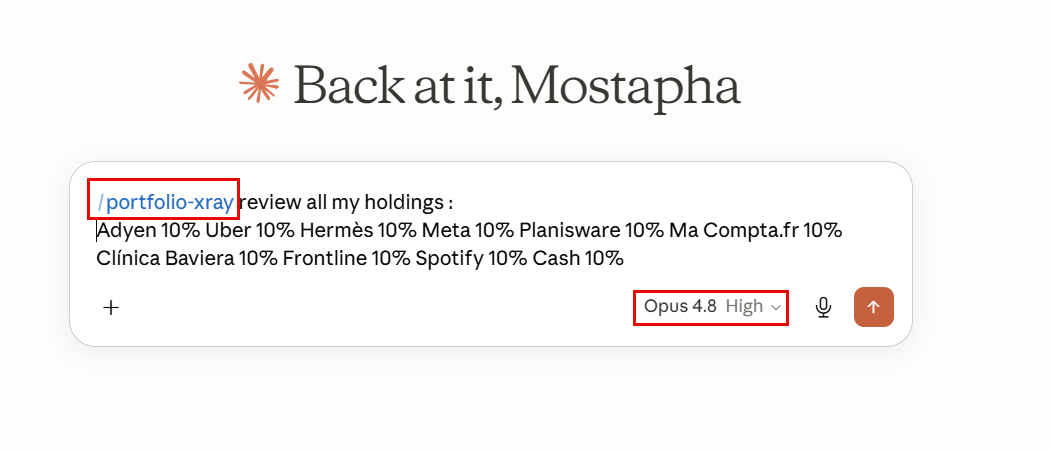
How to use it
Step 1: Install the Skill once.
Download the Skill file (link below)