

Sunday afternoon.
The toughest negotiation I’ve had in months.
The other party was tough.
No compromise.
No logic.
Pure emotional leverage.
The counterparty?
My 3-year-old daughter.
The terms?
15 minutes of Legos. 10 minutes of coloring..
Non-negotiable.
Once the terms were fulfilled, I was finally granted 1 uninterrupted hour.
Door closed.
Phone down.
Silence…
I’d been wanting to write this piece for days. Because I knew it deserved real thinking time.
The kind you don’t get between notifications and half-finished thoughts.
So I sat there and asked myself one question:
If I had to start from 0 with AI today what would I actually do?
Here’s the plan:
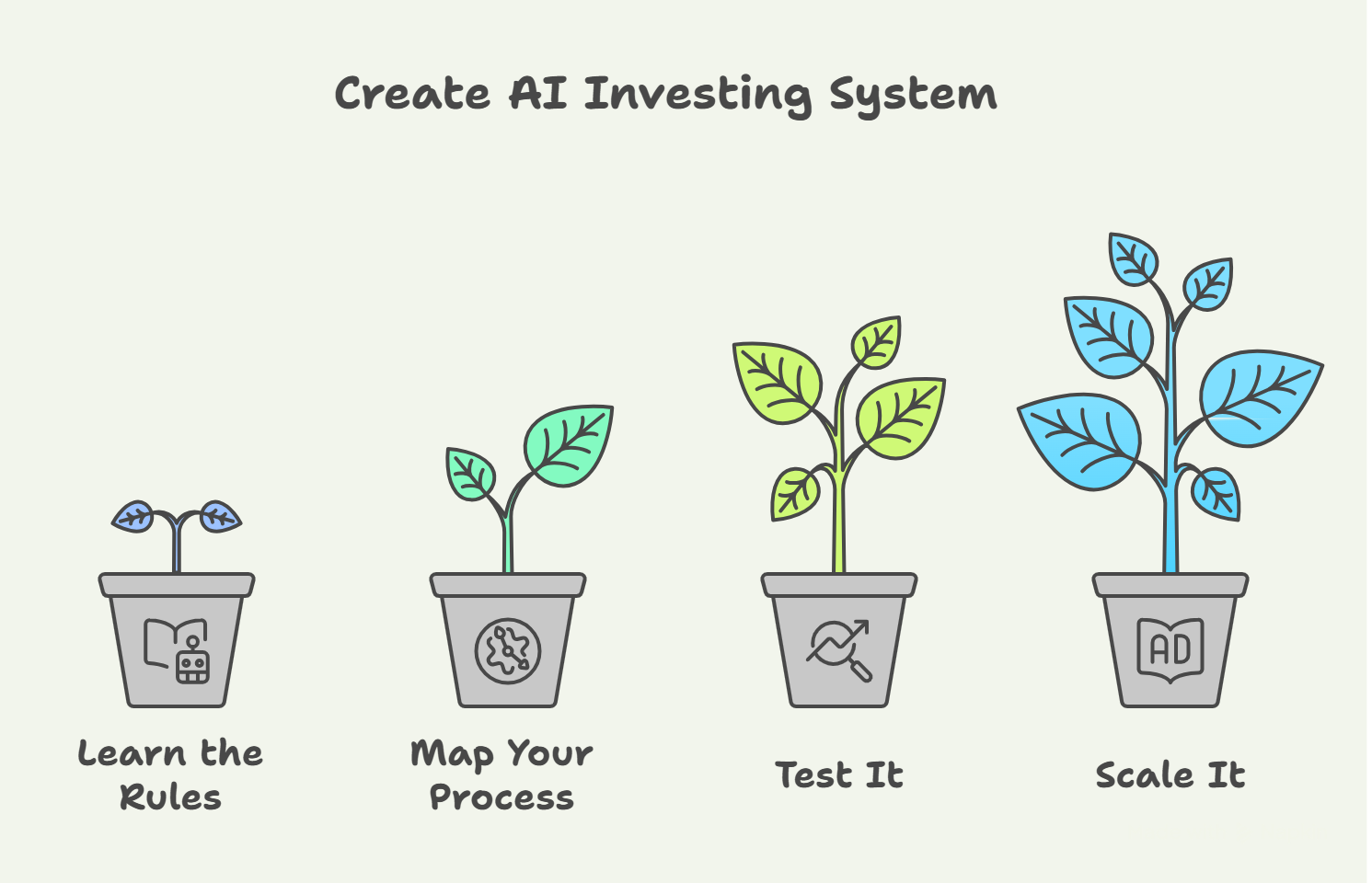
Learn the Basics: Understand what AI can do. Accept what it can’t. Write down the constraints you’ll follow every time.
Map Your Process: Define how you actually invest. Pick one step. Automate that one first.
Test it :Run it on a stock you already know to understand how to use both Deep Research (external-source research) and NotebookLM (document-grounded analysis).
Scale It: Save the prompts that work. Use them on every stock. Build your library.
Step 1 Learn the basics (fast, but correctly)
When you want to learn a new skill, you always face the same choice:
Study the theory first? Or dive in and learn by doing?
The art is finding the right balance.
For AI, If you just dive in and “test and learn,” you’ll make basic mistakes.
But the opposite is also a trap.
You don’t need to become an AI expert.
The right approach is to Learn the minimum necessary to use AI without making basic mistakes.
Here’s what that minimum looks like:
What is an LLM?
A model trained on a very large mix of text:
books, websites, code, articles, conversations, etc.
When you ask an investing question, it does not switch to a “finance brain.”
It uses the same general language model, but steered by:
your question
the finance context
patterns it learned about how people talk about investing
That’s why it can sound like an analyst
without being one.
Examples: ChatGPT, Claude, Gemini, Perplexity ( not an LLM technically but it’s ok)
Waht’s a Prompt:
A prompt is an instruction you give the AI.
It’s not the analysis, it’s the trigger that decides what kind of analysis you get..
Think: briefing a junior analyst. Clearer instructions = better output.
Bad: “Tell me about Apple.”
Good: “Analyze Apple’s Q3 2024 10-K. Focus on services revenue growth. Compare margins to Q3 2023...”
Same LLM + lazy prompt = garbage.
Same LLM + precise prompt = excellent analysis.
The prompt is the difference between AI guessing and AI delivering.
Hallucination:
When AI invents something that sounds true… but isn’t.
Confident nonsense.
Surprisingly common.
Good news:
There are simple ways to avoid hallucinations by choosing the right mode and the right model.
If you want to reduce AI hallucinations, this article shows you the exact method

What are reasoning models?
Regular models start typing immediately.
Reasoning models pause to think first.
Examples: OpenAI “Thikning”, Claude Opus 4.5, Gemini 3 Pro,
For investing, they’re better at:
Multi-step analysis
Complex valuations
Systematic comparisons
Catching math errors
Trade-off: slower but more accurate.
Use them for complex work.
Use regular chat for quick stuff.
What is Deep Research mode?
You know I run all my prompts in this mode
It’s like hiring a research analyst for a few minutes.
What it does:
Builds a research plan
Searches the web 50+ times
Reads full articles and reports
Cross-checks multiple sources
Synthesizes into a structured report
Use it for:
Due diligence on unfamiliar companies
Industry deep dives
Competitive analysis
Don’t use it for:
Quick answers
Simple lookups
Chat mode = shallow. Deep Research = useful.
The bottom line :
The goal is to deeply understand 3 things:
Why AI is useful for investing
Which tools to use and when
Why AI can be wrong, and how to avoid that
You should use Deep Research with a reasoning model in your LLM of choice.
Right now, I recommend Gemini.
I keep testing other models, and when one performs better, I’ll share it with you.
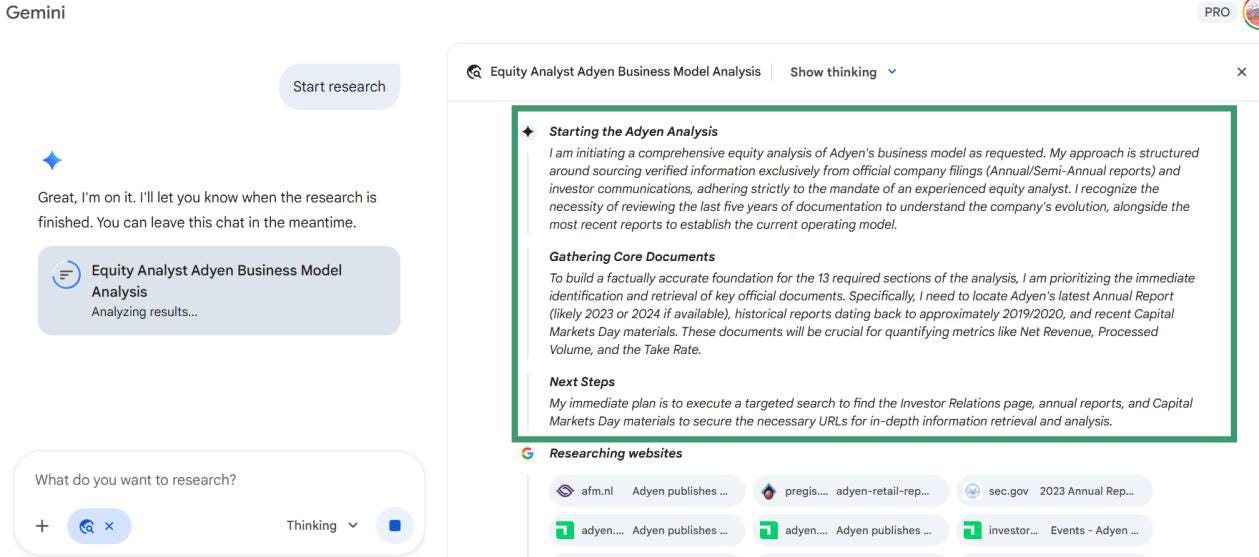
Pro tip: Run a Deep Research and watch how Gemini works.
It helps you visualize what the tool is doing and understand it faster.
To Go Deeper:
I already gave short definitions of the most important concepts.
If you want to go deeper, here’s how:
Pick 3-5 key concepts to explore (LLM, Prompt, Hallucination ,token..)
Open your favorite LLM in “Thinking” mode
Run this prompt for each concept:
Copy-Paste Prompt:
You are an expert AI educator for long-term investors.

Help me understand the concept of {CONCEPT NAME}.

Explain the concept so a smart non-technical investor can clearly understand it.

Guidelines

Keep the real meaning. You may simplify and use analogies, but don’t distort the idea.

Stay current. If something is outdated, explain what changed and give the modern view.

Use real-world investing examples (10-K, annual reports, earnings calls, KPIs, portfolio research).

Avoid jargon. If you use a technical word, explain it simply.

Be honest about uncertainty when it depends on tools, models, or context.

Output format

One-sentence definition (plain English)

Mental model / analogy

How it works (3–5 bullets)

Why it matters for investors

Concrete investing example

Common misconceptions

Quick checklist (how to use it safely)

Key terms glossary (max 8)

What’s changed recently (if relevant)

If I want to go deeper: 3 follow-up questions

Optional (only if useful): Suggest up to 3 related concepts or keywords that would meaningfully help me. Skip this if it adds little value.Follow the rabbit holes:
The AI will suggest related concepts at the end.
When a concept becomes crystal clear, move to the next.
Then run the same prompt again.
This step should take less than 2 houres of deep work.
Step 2: Map Your Process
You’ve got the basics.
Now what?
Before you touch AI, you need to know what you actually do when you research a stock.
Don’t jump straight into prompts and tools and wonder why nothing sticks.
Here’s the truth:
AI can’t fix a process you haven’t defined.
If you don’t know your own workflow, AI won’t either.
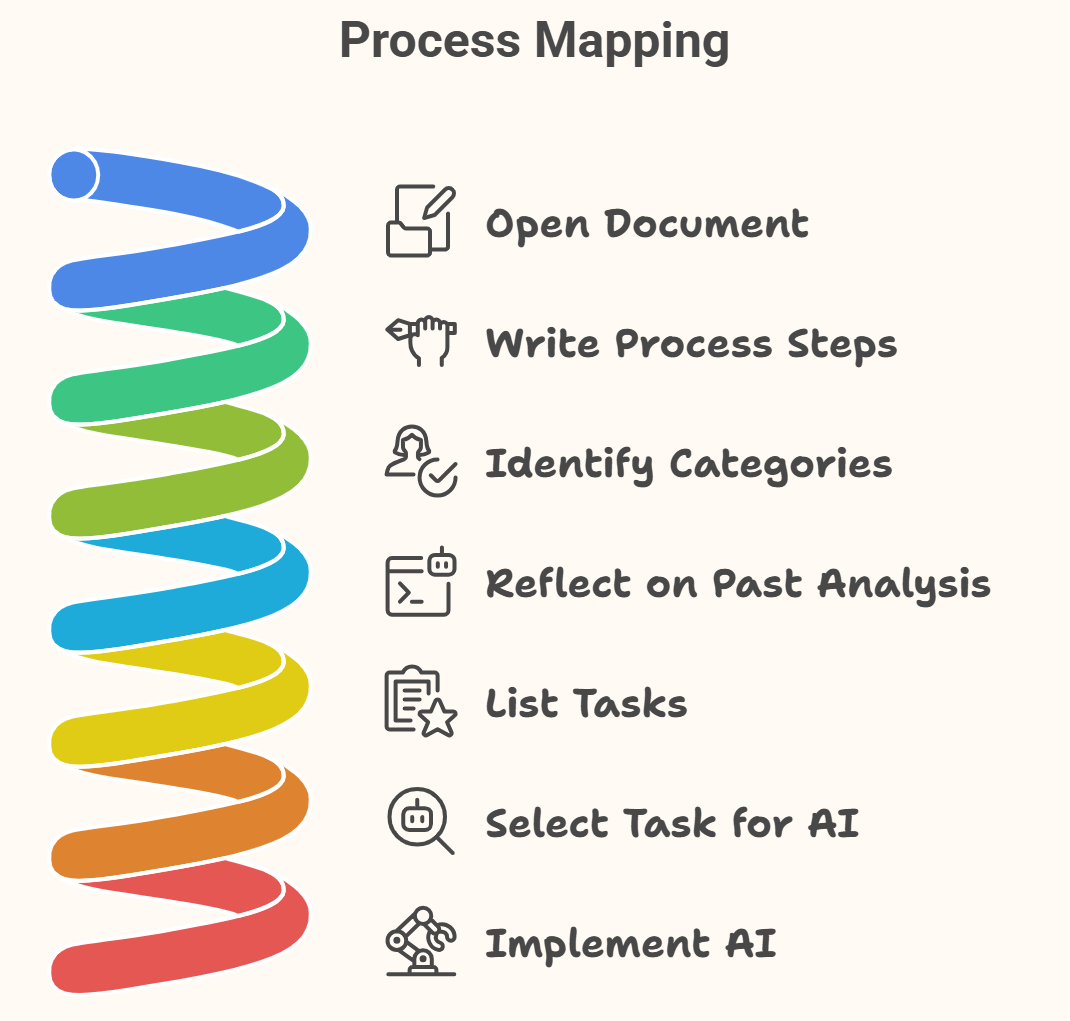
The Process Mapping Exercise
This takes 45 minutes.
1. Open a document.
Or take a pen and paper (I still think better when I write by hand .. maybe I’m old school).
2. Thik about your actual process.
Ask yourself:
“Last time I analyzed a stock, what were my exact steps from start to finish?”
Don’t write what you should do.
Write what you actually do.
3. Identify categories.
Group your steps into buckets. Here are common ones:
Where ideas come from
How you understand a new business model
What you read first (earnings, annual report, investor deck, notes)
How you summarize and cross-check information
How you understand an industry
How you research management
How you build conviction
What must be true for you to buy
What makes you say “no”
What you track after you buy
4. Reflect on past analyses.
Think about the last 2–3 stocks you studied.
Where did you spend the most time?
5. List every task
be specific.
Not “research the company.”
Break it down.
For example, if one of your steps is “research management”, list exactly what that means for you:
Check if they delivered on past promises
Look at compensation structure and incentive alignment
Review capital allocation patterns (buybacks, dividends, M&A, reinvestment)
Assess communication style : clear and honest, or vague and promotional?
Check insider ownership
Review tenure and any leadership turnover
That level of detail is what makes AI useful later.
6. Select ONE task for AI.
What’s next ?
Use AI for all the steps you listed?
Of course not...
The biggest mistake is trying to use AI for everything at once.
Select a single task and start using AI for it.
Pick one step that involves:
A lot of reading
Summarizing
Qualitative judgment
For example, you might want to outsource to AI the work of evaluating management:
How to judge management quality, incentives, capital allocation, and track record.
7. Implement AI on that single task.
Fix the objective:
learn how to use AI for evaluating management quality.
Step 3: Test the system
You’ve mapped your process. You’ve picked one task to automate.
Now it’s time to test.
But here’s where most people mess up:
They test on a stock they don’t know.
Bad setup.
If you don’t know the company, you can’t tell if AI is wrong. You’ll read the output, think “sounds smart,” and move on.
That’s how bad habits form.
The Right Way to Test
Start with ONE stock you know extremely well.
A company you’ve followed for years.
One where you know the business, the management, the history, the risks.
Then run AI on it.
Compare the output with what you already know.
A familiar stock gives you calibration.
You’re not just testing the output. You’re learning:
How to ask better questions
How to constrain the model
How to detect failure modes fast
That’s the real skill.
What We’ll Test: Management Evaluation
In Step 2, we used “research management” as an example task.
Let’s stick with it.
We’ll test two things:
How to evaluate management using Deep Research in Gemini or other LLM to surface their track record, incentives, and history
How to track management over time using NotebookLM to follow what they say and compare it to what they do
Evaluate Management with Deep Research
This is a one-time deep dive.
You want to understand:
Who runs this company?
What’s their track record?
Are incentives aligned with shareholders?
How do they allocate capital?
Do they say what they mean and do what they say?
How to do it
Open Gemini (or your preferred LLM with Deep Research mode)
Select Deep Research
Open the Prompt Library (you have access as a paid subscriber) and choose the Management Evaluation prompts
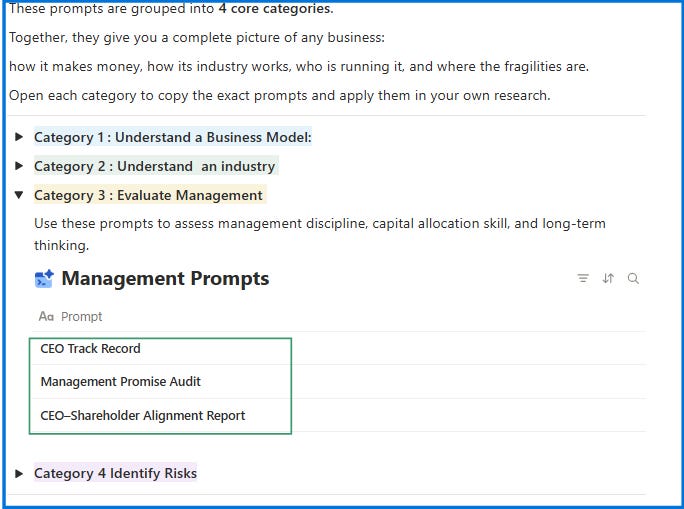
Copy–paste the prompt into Deep Research
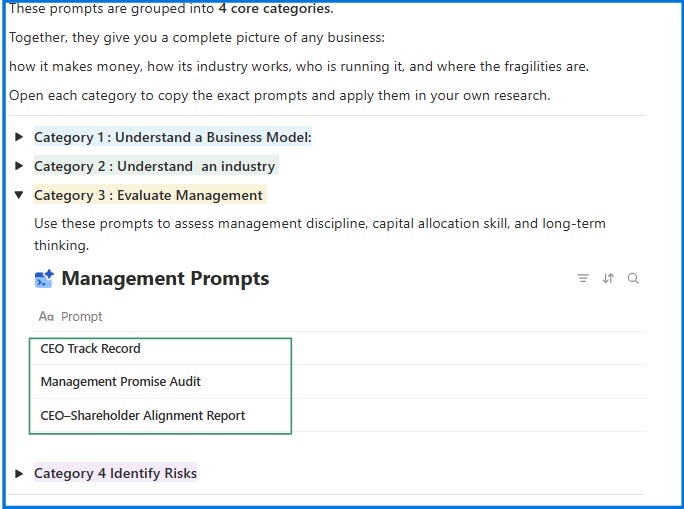
Prompt: CEO Track Record (Copy–Paste)
ROLE
Act as an analyst preparing a CEO due-diligence dossier for institutional investors.
Write in a consulting-report style: executive summary first, then structured sections with tables and bullet points.
Keep it factual and evidence-based. Do not speculate about personality or charisma.

INPUT
CEO = {{CEO Name}}
Company = {{Company Name}}

SOURCES (guidance, not strict order)

Official filings (annual reports, shareholder letters, SEC/AMF filings, proxy statements, insider filings).

Investor communications (earnings call transcripts, capital markets day presentations).

Reputable business media (FT, WSJ, Bloomberg, Reuters, Forbes, Fortune).

Professional bios (LinkedIn, company bio, official websites).

Watchdog/regulatory sources if relevant (NGOs, governance trackers, sanctions).

Social media posts only if directly tied to business reputation.

WHAT TO DELIVER (fixed structure)

Executive Summary

CEO Profile at a Glance (career highlights, ownership, expertise).

Synthesized Assessment: 2–3 key strengths, 2–3 material risks.

One-line Verdict: “Long-term steward” OR “Potential risk.”

Career Map & Expertise

Timeline of roles: Years | Company | Role | Sector | Notable contribution.

Classification: entrepreneur, operator, allocator (mark the dominant type).

Core expertise & skills, with real examples of impact.

Track Record of Decisions

Table: Date | Role | Major Decision (M&A, buyback, restructuring, expansion) | Outcome (value created/destroyed).

Identify visible patterns (disciplined allocator, empire-builder, turnaround operator).

Ownership & Alignment

Stock ownership (outright shares vs options/awards).

Insider buying/selling history.

Dilution/compensation impact.

Alignment rating: High / Medium / Low.

Governance, Candor & Risks

Evidence of candor vs spin in communications.

Media reputation (serious press).

Controversies, lawsuits, regulatory actions.

Short evidence table: Date | Source | Quote/Fact | Risk Level.

Final Assessment

3–4 bullets summarizing strengths and weaknesses.

Confidence rating: High / Medium / Low.

Clear conclusion: “This CEO shows evidence of disciplined stewardship” OR “This CEO poses material risks to long-term shareholders.”

RULES

Cover the entire CEO tenure in role.

Where possible, bring in long-term evidence (multi-year patterns, not just recent results).

Every claim must be tied to a specific event, number, or quote.

When possible, include the date + source (filing, article, transcript).

If no reliable source exists, explicitly write “Not disclosed” — never fabricate.

Keep writing concise, consulting-grade, and structured.
Since you know this stock you’ll immediately spot what AI gets right and what it misses.
That’s the point.
You’re not just checking the output. You’re calibrating your judgment of the tool.
When AI nails something you already know, you build confidence.
When it misses something obvious, you learn its blind spots.
Both are essential before you trust it on stocks you don’t know.
Track Management Over Time with NotebookLM
Deep Research gives you a snapshot.
But management quality isn’t static.
You need to track what they say over time and compare it to what actually happens.
That’s where NotebookLM shines.
Why NotebookLM?
It only answers from documents you upload (no hallucinations)
It remembers everything across multiple files
It can compare statements across years
How to set it up:
Create a new notebook name it after your stock (e.g., “Microsoft Management Tracker”)
Upload the last 3–5 years of:
Earnings call transcripts
Annual shareholder letters
Investor day presentations
Once uploaded, ask questions like:
What did management say about margins in 2022 vs 2024? Did they deliver?How has the CEO's tone about competition changed over the last 3 years?What capital allocation priorities did management outline in 2021? What actually happened?List every major promise or target management made in the last 5 years. Which ones were met?Has management's explanation for growth changed over time? Show me the evolution.Since you now know the stock, this step will make it easier for you to use the tool and understand its capabilities.
Why This Step Is Non-Negotiable
Testing on a stock you know does two things:
1. You build confidence.
You see AI work correctly and you trust the process.
2. You learn two ways to use AI.
Deep Research: An open model that searches the web, cross-references sources, and synthesizes analysis from scratch.
NotebookLM: A closed-loop system that only answers from documents you upload no hallucinations, no outside noise.
Both are essential.
Master both before you scale.
Step 4: Scale It
Your first prompt works.
You’ve tested it on a stock you know.
You trust the output.
Now what?
Scale it.
How to Scale
Run it on 2 other stocks.
Pick companies you’re less familiar with.
Master the 2 tools
Integrate it into your workflow like a normal habit.
Every time you research a new stock, run the management prompt.
Every quarter, upload the new transcript to NotebookLM.
Make it automatic.
Then Expand
Once the first task is solid:
Pick one more step from your process map
use one more prompt
Create one more repeatable output
One layer at a time.
Over time, you’ll have something most investors don’t:
A research system that gets stronger every time you use it.
Recap: The 4-Step System
If you had to start from zero with AI today, here’s the path:
Step 1 : Learn the basics
Understand what AI can do (and can’t).
Learn key concepts: LLM, prompt, hallucination, Deep Research.
Takes 2 hours, not 2 weeks.
Step 2 : Map your process
Write how you research a stock.
Break it into tasks.
Automate one task first.
Step 3 : Test it
Run it on a stock you already know.
Compare results to reality.
Use Deep Research + NotebookLM.
Step 4 : Scale it
Reuse on other stocks.
Refine prompts.
Add tasks gradually.
Build a system.
PS: If you get stuck on any step or want feedback on your workflow, just reply to this email. I read every message
Great framework. I took a similar approach but went deeper on one specific thesis — the Physical Layer of AI. Instead of trying to pick winners across all of AI, I focused on the infrastructure that EVERY AI company needs: chips, power, cooling, networking, data centers.
The logic is simple: software gets commoditized (look at what happened with DeepSeek). But NVIDIA's GPUs, Vertiv's cooling systems, Constellation Energy's nuclear plants — those are physical bottlenecks that can't be replicated overnight.
I run 25+ positions across this thesis with a live dashboard tracking everything. If anyone wants to explore AI infrastructure plays by risk level, I built a free tool: web-production-a8fd4.up.railway.app/picks